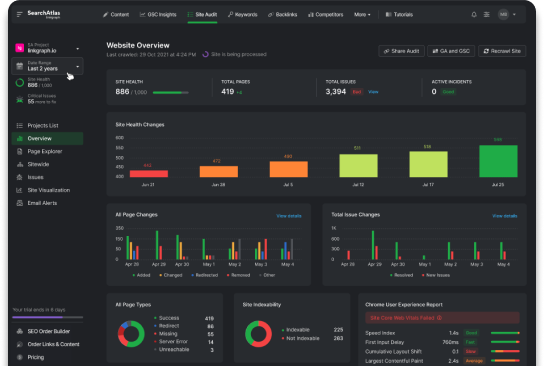

How to Create an SEO Report for Clients (in Under 30 Seconds) | Search Atlas Tutorial
For anyone in the SEO realm, whether you’re an agency professional, freelancer, or an in-house expert, crafting comprehensive SEO reports is paramount. Today, we’ll delve into how […]
For anyone in the SEO realm, whether you’re an agency professional, freelancer, or an in-house expert, crafting comprehensive SEO reports is paramount. Today, we’ll delve into how you can seamlessly generate an SEO report showcasing crucial SERP metrics using Search Atlas’s GSC Insights.
The Simplified Process:
If you’ve been daunted by the thought of creating detailed SEO reports, fret not. With GSC Insights, the process is straightforward. Here’s a step-by-step guide:
Generating Your SEO Report:
- Access GSC Insights: Start by opening the GSC Insights tool.
- Set the Date Range: Adjust the date range to mirror the period you wish to report on.
- Specify the Location: If your campaign is targeted towards a specific region, modify the location accordingly.
- Export the Report: Simply click on “Export to PNG.”
What to Expect:
In mere seconds, GSC Insights will convert your dashboard into a visually appealing and precise report. The outcome? A report that’s not only aesthetically pleasing but also accurate and current. It’s a game-changer for presenting data to clients or stakeholders.
Conclusion:
With Search Atlas’s GSC Insights, generating SEO reports is no longer a time-consuming task. It’s efficient, accurate, and ensures you present data in the best light. Dive in and experience the simplicity for yourself!